
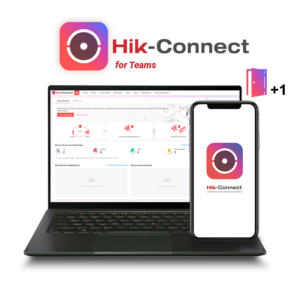
Hik-Connect for Teams (also called Team Mode) is a cloud-based security and employee management platform. It is built for small-to-medium businesses (SMBs), chain stores, offices, and multi-site enterprises. It lets teams manage security without needing a local server or VPN.
Hik-Connect Team Mode includes free access for up to 32 video channels and 10 access-control doors.
Key Features
- Unified Access Control: Manage door access using cards, PINs, mobile NFC, Bluetooth, or temporary QR codes.
- Video Security: Monitor live feeds and recorded video with intelligent analytics across multiple sites.
- Attendance Management: Track employee attendance and register fingerprints or selfies remotely.
- Multi-Site Organization: Group locations using multi-level zones and Geographic Information System (GIS) maps.
- Role-Based Permissions: Assign specific access levels and credentials to different users or staff members.
How to Set It Up
- Download the Hik-Connect mobile app or go to the online portal.
- Register and verify a personal account using your email address.
- Log in, go to service or account settings, and select Create Team.
- Enter your team name, time zone, and scene type (such as an office or store).
- Contact your local security installer or product distributor to link advanced licenses if you need more than the free tier of channels and doors.
-
 CCTV / Surveillance
Hikvision HC-Video/1CH/1Y
Read moreHikvision HC-Video/1CH/1Y – 1 Channel Video Management License For Hik-Connect Team Mode – 1 Year Subscription
-
CCTV / Surveillance
Hikvision HC-Timelapse/365Day/1CH/1Y
Read moreHikvision HC-Timelapse/365Day/1CH/1Y Time-Lapse Recording, 365 Days, 1 Channel License For Hik-Connect Team Mode – 1 Year Subscription
-
CCTV / Surveillance
Hikvision HC-AC&TA/1Door/1Y
Read moreHikvision HC-AC&TA/1Door/1Y – Access Control & Time Attendance 1 Door Management License For Hik-Connect Team Mode – 1 Year Subscription – Unlimited Users
-
CCTV / Surveillance
Hikvision HC-ANPR-1Camera/1Y
Read moreHikvision HC-ANPR-1Camera/1Y – ANPR LPR Camera Single Channel Management License For Hik-Connect Team Mode – 1 Year Subscription – Unlimited Users